

Dell 3.5″ Hot-Plug Hard Drive Blank
Original price was: R859,00.R799,00Current price is: R799,00.
The Dell drive bay blank fills unused 3.5-inch hot-plug bays on PowerEdge servers. Empty bays disrupt chassis airflow and trigger iDRAC fault alerts. This genuine Dell filler restores the engineered airflow path with tool-free latch installation.
- Fits 3.5″ hot-plug bays on Dell PowerEdge servers
- Restores designed chassis airflow path
- Prevents dust ingress through open bays
- Clears iDRAC unpopulated bay fault alerts
- Tool-free latch installation — no server shutdown needed
Availability: 4 in stock
Dell Drive Bay Blank — 3.5-Inch Hot-Plug Filler for PowerEdge Servers
The Dell drive bay blank is a plastic filler panel for empty 3.5-inch hot-plug drive bays on PowerEdge servers. Its function is thermal management. PowerEdge chassis airflow is engineered with every drive bay filled. Cool air enters from the front of the chassis, flows in a controlled path across drive carriers and through the server, and exits at the rear. An empty bay without a Dell drive bay blank creates a low-resistance shortcut through the chassis. This disrupts the intended airflow path and allows warm exhaust air to recirculate forward, raising component temperatures.
iDRAC on most PowerEdge servers logs an unpopulated bay without a filler as a fault condition. Installing the Dell drive bay blank clears the fault and restores the correct airflow balance throughout the chassis.
When Drive Bay Blanks Are Required
Drive blanks are required in several common scenarios. A server that ships with fewer drives than its maximum bay count needs blanks in all remaining positions. When a drive is removed and not immediately replaced, a filler must occupy the empty slot. When a server is redeployed with a different storage configuration, blanks fill newly empty bays.
South African IT administrators building PowerEdge storage servers often populate only a portion of available bays at initial deployment. They fill the unused positions with Dell drive bay blanks until additional drives are procured at a later stage.
Correct Size Matters
The Dell drive bay blank for 3.5-inch hot-plug bays differs physically from a 2.5-inch blank. The clip mechanism and panel dimensions are different between the two formats. Using the correct size ensures the filler seats properly, does not rattle during server vibration and maintains the correct airflow seal across the bay opening.
Browse all Dell server accessories at Briggi Tech or verify bay compatibility at Dell.
Only logged in customers who have purchased this product may leave a review.
Related products
-
Sale!
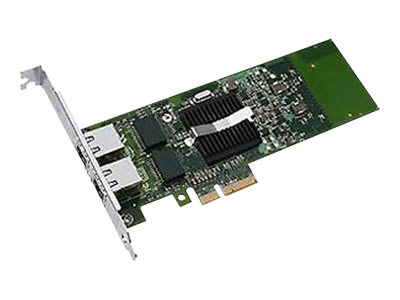 Server Accessories
Dell Intel Ethernet I350 Dual-Port 1GbE Network Card
Original price was: R8949,00.R8359,00Current price is: R8359,00. Add to basket -
Sale!
 Server Accessories
Dell 1U Cable Management Arm Kit
Original price was: R1269,00.R1189,00Current price is: R1189,00. Add to basket -
Sale!Server Accessories
Dell BOSS-S2 Cable Kit (Mechanical Assembly Variant)
Original price was: R3199,00.R2989,00Current price is: R2989,00. Add to basket -
Sale!Server Accessories
Dell High-Performance Heatsink for PowerEdge R760xs
Original price was: R1439,00.R1349,00Current price is: R1349,00. Add to basket


Reviews
There are no reviews yet.